The two standards in one minute
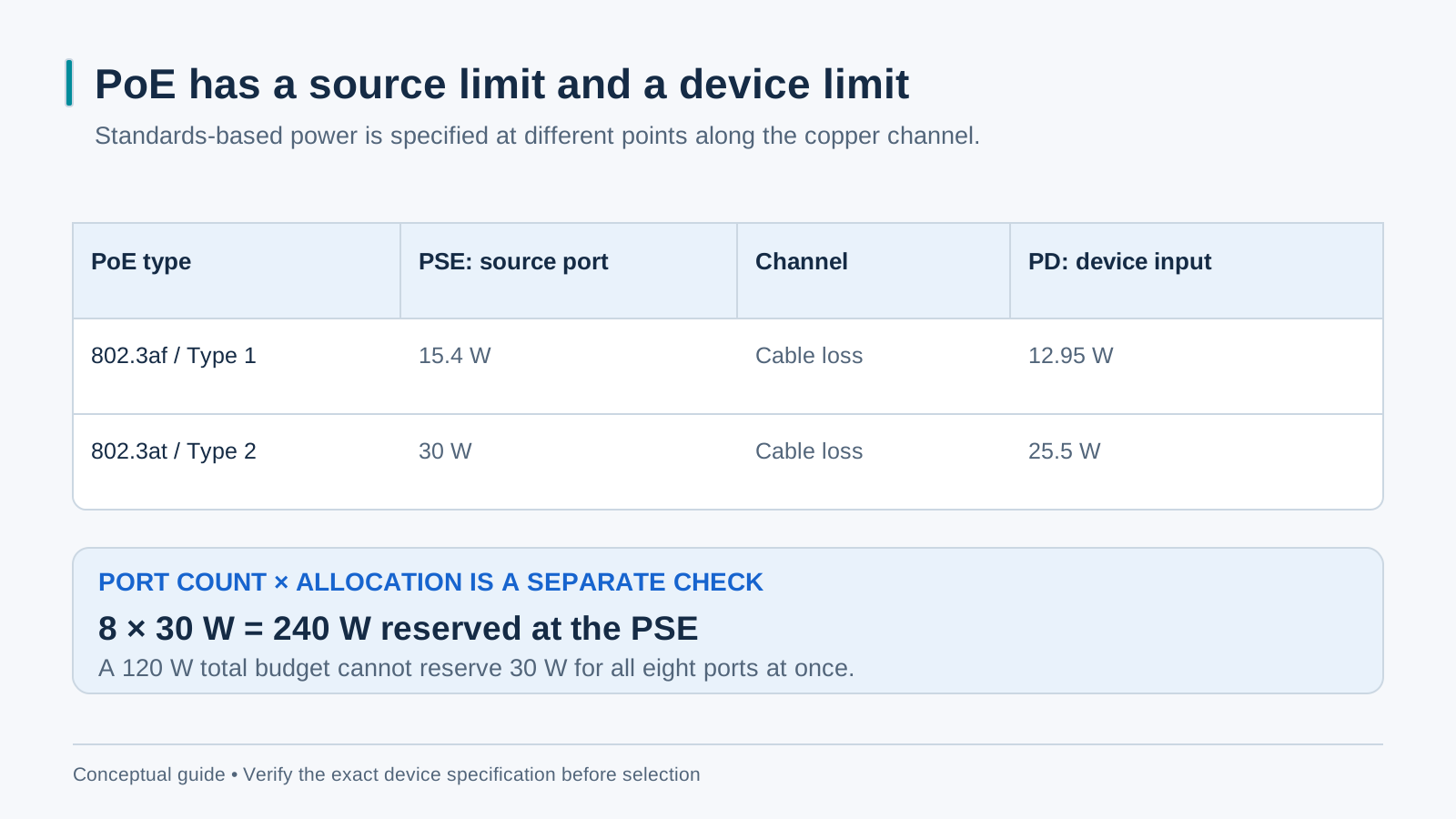
IEEE Type 1 PoE provides up to 15.4 W at the PSE port and 12.95 W at the PD after the specified channel loss. Type 2 PoE+ provides up to 30 W at the PSE and 25.5 W at the PD. Match each device’s required PoE type and maximum demand; some PTZ, heater and IR configurations need higher-power types. Check both per-port limits and the switch’s shared PSE budget.
Step 1 — write down the real draw, device by device
Open each device datasheet and record maximum power, required PoE type and any operating conditions such as IR, heaters or accessories. Typical power is not a worst-case design value. Count the powered ports and check the switch’s classification or allocation method, cable loss and environmental limits before choosing a total budget.
Step 2 — document the allocation and reserve
Do not compare a sum of typical PD watts directly with a PSE budget. Determine the PSE allocation required for each device under the switch’s documented policy, including applicable channel loss. Then add a project-specific reserve. A 20% allowance can be an illustrative planning choice, not an IEEE rule or a substitute for device maximum-power data. Eight cameras also require at least eight powered ports.
Step 3 — check the per-port class, then the total
A large total budget does not overcome a per-port limit. Confirm the exact ordered model’s PoE types, per-port capacity, total budget and supplied power supply. A device needing more than the guaranteed PD power of Type 2 requires another supported solution. Eight ports each allocated 30 W require 240 W of PSE budget before any reserve; a 65 W or 120 W budget cannot provide that simultaneously.
The 250 m extend mode and when to use it
Some switches offer a vendor-specific extended-copper mode at a reduced data rate. A claimed 250 m reach is conditional on the exact cable, conductor size, connectors, device load and vendor limits; it is separate from the standard 100 m channel. Verify the feature for the selected model and test power and traffic under the intended conditions. Use fiber where the copper design cannot meet the requirements.
65 W or 120 W: a fast decision table
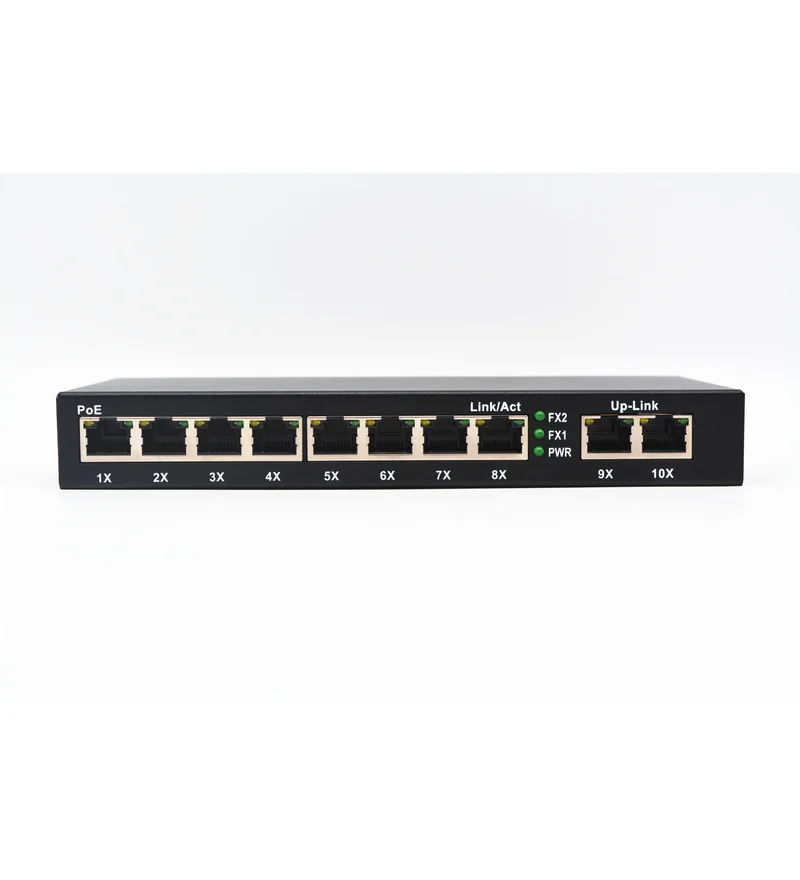
First select enough PoE ports, then check each port’s type and the shared PSE budget. A four-PoE-port model supports at most four directly powered devices; six or eight cameras need more powered ports. Choose a 65 W, 120 W or larger budget only after calculating the required allocation. Check uplink throughput independently: Gigabit speed does not increase the available PoE watts.
Installation habits that protect the budget
Use compliant cabling within the intended channel limits and follow the switch and PD installation requirements. Document any reserve for expansion. Commission the full intended load, including night-mode and heater conditions where relevant, and check power allocation, link stability and traffic. Extended-copper modes require their own model-specific validation.